
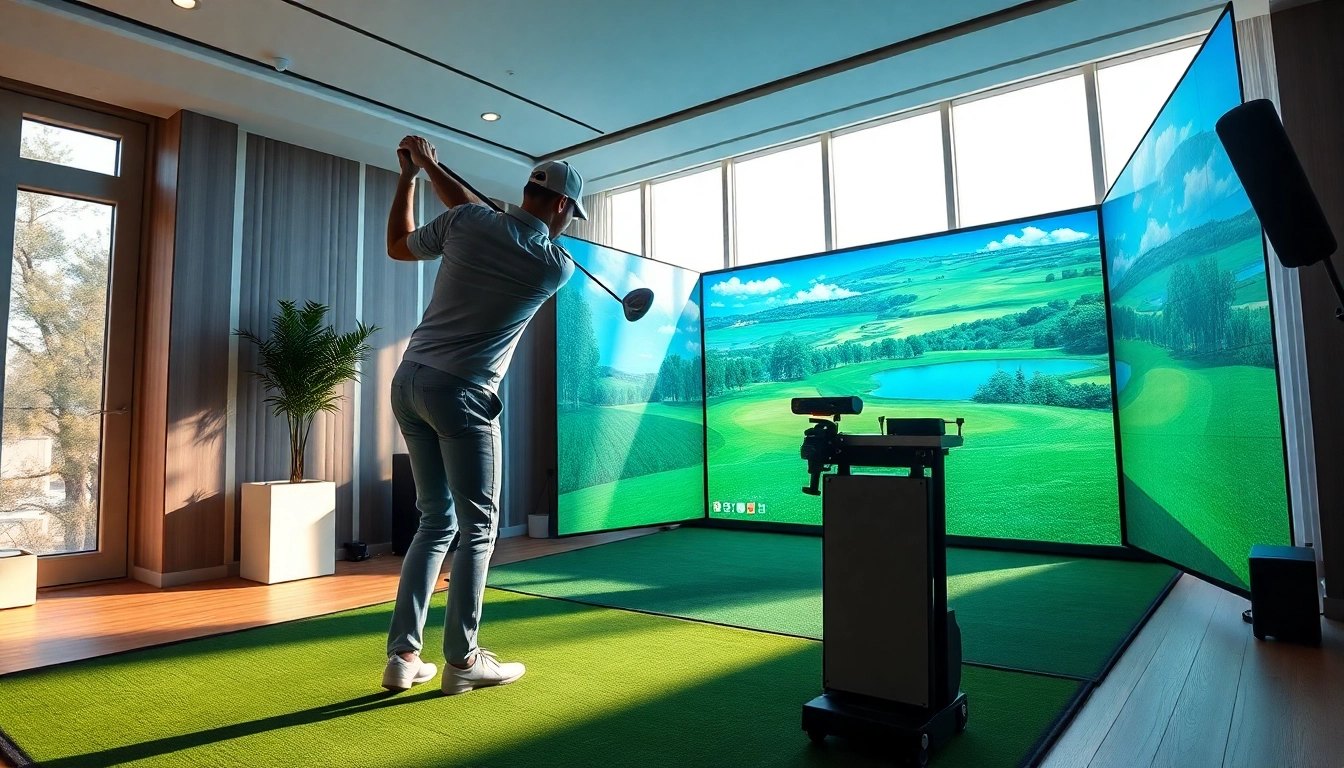
Understanding Golf Simulators
What is a Golf Simulator?
A golf simulator is an advanced technological system that enables players to practice their swing and play virtual rounds of golf indoors. Typically consisting of a screen, sensors, and sometimes an impact mat, these simulators use specific algorithms to analyze a golfer's performance and deliver real-time feedback. They replicate various courses from around the world, providing an immersive golfing experience without the need for outdoor facilities. Essentially, a golf simulator bridges the gap between real-world playing conditions and a controlled indoor setting, allowing golfers of all skill levels to improve their games at their convenience.
Benefits of Using a Simulator
The myriad benefits of utilizing a simulator are particularly appealing. First and foremost, it allows players to practice regardless of weather conditions. No longer does a poor forecast mean skipped practice sessions; instead, golfers can hit the driving range or enjoy a round of golf while staying dry and comfortable. Moreover, simulators often come with advanced analysis tools that can track swing speed, ball spin, and launch angles, enabling more precise adjustments to improve performance.
Another tremendous advantage is accessibility. Golf simulators can cater to various skill levels, from beginners learning basics to experts working on fine-tuning their shots. They also serve as social tools, enabling friends and family to come together for a round of virtual golf, creating bond-building experiences without the need for cumbersome travel to a course. Additionally, golfers can have the unique opportunity to play famously challenging courses without the usual associated costs or travel logistics.
Key Features to Look For
When considering a golf simulator, potential buyers should pay particular attention to several key features to ensure they invest in a quality system that meets their needs. High-definition graphics and realistic course layouts greatly enhance the immersive experience, making the game more enjoyable. A reliable tracking system that accurately captures swing data is equally important. Look for simulators that offer integration options for additional sensors and software, as this can further enrich your practice sessions.
Lastly, examine the available software and update options. Comprehensive software with various game modes and the possibility of regular updates ensures the simulator remains engaging and user-friendly over time. Don't forget to consider the overall footprint of the simulator as well; it should fit comfortably in your chosen space without overwhelming it.
Types of Golf Simulators
Home vs. Commercial Simulators
Understanding the distinctions between home and commercial simulators is crucial for any potential buyer. Home simulators are typically designed with individual users in mind. They focus on affordability and compactness, allowing users to set them up in their garages, basements, or even living rooms. These systems may compromise a bit on features compared to commercial models but still offer a robust experience sufficient for personal use.
In contrast, commercial simulators are designed for heavy-duty use in settings like golf academies or entertainment venues. These simulators boast superior build quality, extensive features, and more advanced technical capabilities, enabling multiple users to enjoy the system simultaneously. They have the added benefit of being frequently updated to incorporate the latest course layouts and technology.
Comparison of Popular Simulator Types
Some of the most popular types of golf simulators include infrared, radar, and camera-based systems. Infrared systems use light beams to measure ball flight and provide accurate data. Radar-based systems, on the other hand, capture the ball's speed and trajectory using Doppler radar technology, offering a highly precise analysis of performance. Camera-based systems utilize high-speed cameras to capture swing data, making them particularly useful for in-depth swing analysis.
Each type has its advantages and disadvantages, making it essential for buyers to evaluate their specific needs and preferences before making a decision. For instance, radar systems may be more expensive but can provide superior accuracy, while infrared systems might be more affordable and user-friendly.
Which Simulator Suits Your Needs?
Deciding on the right golf simulator largely depends on your budget, intended use, and available space. For those with limited space and a tighter budget, a more compact home simulator might suffice, offering a good balance of functionality and cost. Conversely, if you run a golf teaching business, investing in a high-end commercial simulator could yield significant returns by attracting more clients. Consider your specific needs carefully, including how often you plan to use the simulator and the features that are most important to you, before finalizing your choice.
Setting Up Your Simulator
Choosing the Right Space
Location is critical when setting up a golf simulator. Ideally, you want a space with sufficient room to swing a club comfortably, usually requiring at least 10 feet in width and a similar height. This ensures you won’t feel cramped while playing or practicing, leading to a more realistic experience. If possible, choose a location that minimizes distractions and offers adequate lighting. A dedicated room or basement is often ideal, as it allows for more control over the environment, including ambient noise and temperature.
Essential Equipment and Accessories
Besides the central simulator unit, there are essential equipment and accessories that can significantly enhance your experience. A quality impact screen is crucial for projecting visuals and measuring feedback accurately. A launch monitor can provide real-time data about your shots, while a turf mat mimics real grass, offering a more authentic feel when hitting the ball. Additional features to consider include sensors, custom fitting, and software packages that provide a more extensive analysis of your performance.
Installation Tips for Optimal Performance
To achieve the best performance from your simulator, proper installation is paramount. This includes ensuring that your simulator is level, well-calibrated, and securely mounted. Avoid positioning your simulator against walls or in corners; instead, allow for adequate space around it to maximize accuracy in feedback. Regular maintenance checks are essential, as well, ensuring all technology works efficiently. Keeping cables organized can prevent wear and tear, while regular updates to the system can enhance performance and gameplay experience.
Improving Your Game with a Simulator
Analyzing Your Swing Metrics
One of the most significant advantages of using a simulator is the ability to analyze your swing metrics with precision. By assessing data points such as swing speed,angle of attack, and follow-through, golfers can identify areas for improvement and develop tailored practice routines targeted at resolving specific issues. Most modern simulators provide comprehensive reports that can highlight both strengths and weaknesses, facilitating a more proactive approach to personal development.
Practicing Difficult Shots
Golf simulators excel at offering opportunities to practice challenging shots in a low-pressure environment. Whether it’s navigating a challenging dogleg or practicing delicate chips over a bunker, simulators become vital tools for mastering tricky shots. Users can simulate different scenarios and terrain conditions, allowing them to gain confidence and experience handling various situations they may encounter on a real course.
Using Software for Skill Development
The integrated software that accompanies many simulators often features various training programs and drills focused on skill development. Features such as customizable practice sessions, shot replay analysis, and competitive modes with scoring systems allow users to replicate course conditions and continually work on honing their skills. By utilizing these advanced tools effectively, golfers can significantly improve their overall game performance and enjoy a focused, objective approach to learning.
Common Challenges and Solutions
Troubleshooting Technical Issues
No technology is without its challenges, and golf simulators are no exception. Common technical issues may range from calibration errors to connection problems. To combat these issues, regularly check all connections and settings before each session. Many simulators come with troubleshooting guides or support hotlines, which can be incredibly useful for resolving more complex problems that arise unexpectedly.
Maximizing Realism and Accuracy
To achieve maximum realism and accuracy, it's essential to ensure that the simulator is well-calibrated and that users are aware of the need for consistency in their swings. Proper warm-ups and a focus on technique can enhance realism during practice sessions. Additionally, using high-quality equipment, like customized clubs and balls that mirror your on-course performance, adds a layer of authenticity to indoor play.
Costs and Budget Considerations
Finally, budget considerations must factor heavily into any investment in golf simulators. High-end commercial simulators can be expensive, but the potential return on investment for a business can justify the cost. For casual users, exploring more affordable home options may be the route to go. It is wise to research and compare multiple systems while factoring in long-term costs, such as software updates, equipment maintenance, and accessory purchases, to ensure a comprehensive understanding of the investment required.
Frequently Asked Questions
What is the average cost of a golf simulator?
The average cost can range from a few hundred dollars for basic home simulators to several thousand dollars for high-end commercial models. Choose options based on features needed.
Can I use my own clubs with the simulator?
Yes, most simulators allow users to use their clubs, enhancing realism and ensuring practice reflects actual gameplay experience.
How much space do I need for a golf simulator?
Ideally, allow at least 10 feet in width, height, and depth for comfortable swings and to ensure accurate feedback from the simulator.
Is a golf simulator suitable for beginners?
Absolutely! Golf simulators cater to all skill levels, providing tools and features that help beginners learn the game and improve.
How do I maintain my golf simulator?
Regular maintenance involves checking connections, updating software, and ensuring proper calibration for accurate readings and a smooth experience.
Contact Information
Call Us: +1 615-624-7821Email: [email protected]Address: 1276 Northwest Broad Street, Murfreesboro, TN, USA