
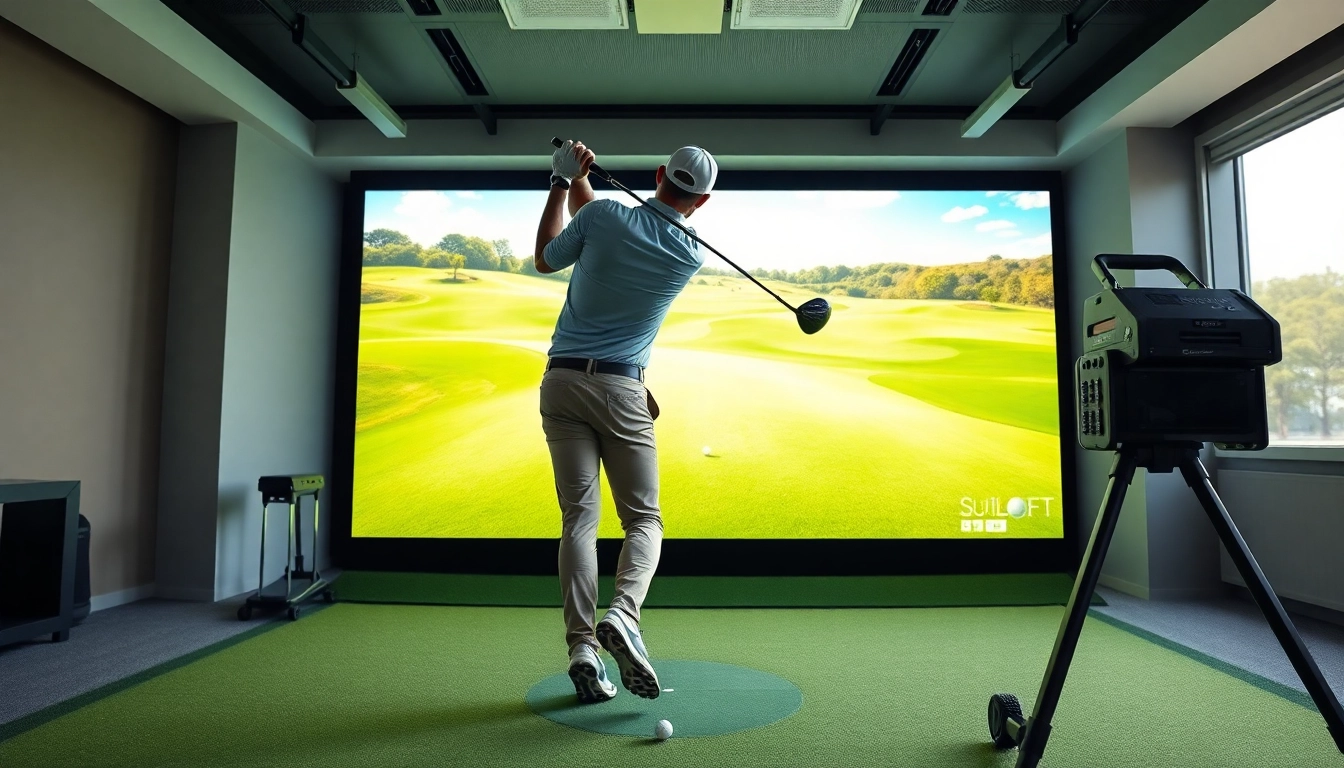
Understanding the Simulator Technology
Golf has evolved with the integration of technology in the game, making it more accessible and enjoyable for enthusiasts. One of the key innovations that have shaped training in golf is the simulator. Golf simulators are not just a luxury for the elite; they have become essential tools for players of all skill levels who want to enhance their skills and understanding of the game. In this article, we will delve deep into the technology behind golf simulators, their types, features to look for, the advantages of practicing with them, and how to set up your own simulator experience. We will also provide tips for maximizing your practice sessions and address some frequently asked questions regarding golf simulators.
How Golf Simulators Work
Golf simulators utilize high-tech software and hardware to recreate the experience of playing on a real golf course. They capture performance metrics by integrating advanced sensors, cameras, and algorithms that analyze the player's swing, club speed, ball trajectory, and landing. These systems provide real-time feedback, enabling golfers to adjust their technique and strategize their gameplay. The use of virtual reality and high-definition graphics allows players to experience famous golf courses from the comfort of their homes or dedicated spaces, enhancing their practice routines exponentially.
Types of Simulators Available
There are several types of golf simulators available in the market, each designed to cater to different needs and budgets:
- Bean Bag Simulators: These are entry-level systems that are highly portable but offer basic tracking capabilities, suitable for beginners.
- Infrared Systems: Utilizing infrared technology, these simulators provide accurate measurements and realistic gameplay experiences.
- Camera-Based Systems: By using high-speed cameras, these simulators capture intricate details of your swing for comprehensive analysis.
- Radar-Based Systems: These advanced simulators use Doppler radar to measure club and ball data, providing the most accurate performance metrics available.
- Virtual Reality Simulators: Taking interactive to the next level, VR simulators offer immersive experiences by allowing you to play as if you're on the course.
Key Features to Look For
When selecting a golf simulator, consider the following features to ensure it meets your training needs:
- Accuracy: Look for high precision in tracking your swing and ball data for effective analysis.
- Simulation Options: Ideally, you should have access to various courses, enabling diverse practice environments.
- User-Friendly Interface: The software should be easy to navigate and provide meaningful analytics without overwhelming the user.
- Realistic Graphics: High-quality visual representations make virtual play more enjoyable and similar to real-life conditions.
- Feedback Features: Systems that provide in-depth performance insights will help you identify areas for improvement.
Advantages of Practicing with a Simulator
Year-Round Training Opportunities
One of the significant advantages of practicing with a simulator is the ability to train year-round, regardless of the weather conditions. Golfers in regions with harsh winters or rainy climates can continue to work on their game without waiting for fair weather. This constant access allows players to maintain their skills and even improve their performance in the off-season, ensuring that they are fully prepared when the next golfing season begins.
Real-Time Feedback and Analysis
Unlike traditional practice methods, simulators provide immediate feedback about your performance. Utilizing sophisticated technology, they analyze metrics such as swing speed, angle of attack, and ball spin, which are crucial for refining your technique. Players benefit greatly from this data-driven approach, as they can make adjustments in real-time, leading to faster improvements and enhanced performance over time.
Enhanced Shot Accuracy and Performance Tracking
Many golf simulators offer performance tracking capabilities that can highlight specific areas for improvement. By monitoring your accuracy, shot dispersion, and overall statistics, you can identify patterns in your game. This data enables you to change your practice routine or seek targeted lessons to improve in areas that require attention. Enhanced shot accuracy leads to more confident play on the course, as you can trust your capabilities with each swing.
Setting Up Your Own Simulator Experience
Space Requirements and Setup Tips
Creating an effective simulator setup requires careful consideration of space. Ideally, you'll need a dedicated area measuring at least 10 feet wide, 15 feet long, and 10-12 feet high to accommodate a full swing comfortably. Before setting up, ensure that the space can handle both the equipment and provides enough room for safe movement. Incorporate soundproofing materials for an immersive experience and consider installing special flooring to minimize injury risks and enhance comfort during practice.
Recommended Equipment and Accessories
To optimize your simulator experience, it's crucial to invest in high-quality equipment and accessories. Some essential items include:
- High-Definition Projector or Screen: A quality projector or impact screen provides a realistic visual experience during play.
- Launch Monitor: This device tracks and analyzes your swing and ball data, providing invaluable insights.
- Mat and Turf: Using a professional-grade hitting mat replicates real turf conditions and protects your floors.
- Virtual Reality Glasses: For a truly immersive experience, consider investing in VR technology that integrates with the simulator.
Cost Considerations for Home Installations
Setting up a home golf simulator involves various costs. The price significantly depends on the type of simulator, the quality of equipment, and any additional features desired. On average, a basic setup can cost around several hundred to several thousand dollars. However, factoring in webcam- or sensor-based systems, accessories, and installation costs elevates the total expenditure. Always consider your specific needs and budget before purchasing to ensure a worthwhile investment.
Maximizing Your Practice Sessions
Creating Effective Practice Routines
To make the most out of your simulator practice, it's essential to establish structured routines. Start by defining your goals, whether improving overall accuracy or working on specific shots. Break down your practice into segments focusing on different aspects of your game, including driving, chipping, and putting. Allocate time for each area and consistently review your progress to stay motivated and track improvements.
Utilizing Simulator Data for Improvement
The data provided by simulators is an invaluable resource for golfers looking to enhance their skills. After each practice session, spend time analyzing your performance metrics. Identify patterns that could indicate issues with technique and seek to address them directly in subsequent sessions. Utilizing simulator data enables focused practice and the opportunity to fine-tune your game over time.
Combining Simulator Use with Outdoor Play
While simulators offer an excellent training experience, they should complement, not replace, outdoor play. Real-course experience provides essential elements that simulators cannot replicate, such as dealing with variable weather conditions and course layout intricacies. Striking a balance between practice on the simulator and actual play ensures that you develop a well-rounded skill set ready for competitions and casual rounds alike.
Frequently Asked Questions about Golf Simulators
What can I learn from using a simulator?
You can gain valuable insights into your swing mechanics, shot accuracy, and game strategy, all of which help tailor your practice sessions.
Are golf simulators suitable for beginners?
Yes, golf simulators are ideal for beginners as they provide a safe environment to learn and develop fundamental skills with real-time feedback.
How much space do I need for a simulator?
A minimum space of 10 feet wide, 15 feet long, and 10-12 feet high is recommended to ensure comfortable swings and equipment installation.
Can I play virtual courses on the simulator?
Absolutely! Most simulators come with a variety of virtual golf courses to choose from, enabling realistic gameplay experiences indoors.
What are the maintenance requirements for a simulator?
Maintenance is typically low, involving software updates, hardware check-ups, and regular cleaning of equipment and hitting surfaces to keep everything in optimal condition.
Contact Information
Call Us: +1 615-624-7821Email: [email protected]Address: 1276 Northwest Broad Street, Murfreesboro, TN 37129, USA